Worked example
Choose a QR image for a guide notice by comparing modules and pixels
A notice needs a QR code that opens the site’s image → PDF → ZIP guide. Use the complete working-route URL below without extra spaces or a newline. Four generated samples show what changes when you choose another correction level, pixel scale or payload.
Files for this example
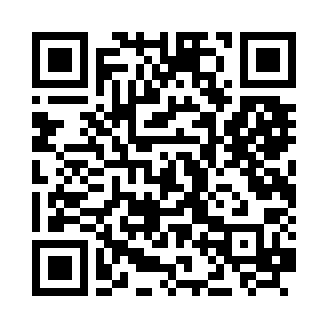
- qr-guide-m4 / M / 4 px / PNG raster
54 UTF-8 B / 33 × 33 modules / 164 × 164 px / white border on each side: 16 px
- qr-guide-m4 / M / 4 px / SVG vector
54 UTF-8 B / 33 × 33 modules / 164 × 164 px / white border on each side: 16 px
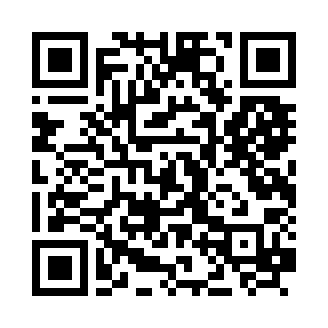
- qr-guide-h4 / H / 4 px / PNG raster
54 UTF-8 B / 41 × 41 modules / 196 × 196 px / white border on each side: 16 px
- qr-guide-h4 / H / 4 px / SVG vector
54 UTF-8 B / 41 × 41 modules / 196 × 196 px / white border on each side: 16 px
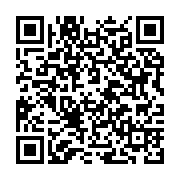
- qr-guide-m8 / M / 8 px / PNG raster
54 UTF-8 B / 33 × 33 modules / 328 × 328 px / white border on each side: 32 px
- qr-guide-m8 / M / 8 px / SVG vector
54 UTF-8 B / 33 × 33 modules / 328 × 328 px / white border on each side: 32 px
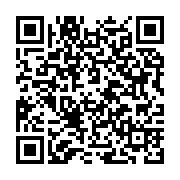
- qr-guide-label-m4 / M / 4 px / PNG raster
70 UTF-8 B / 37 × 37 modules / 180 × 180 px / white border on each side: 16 px
- qr-guide-label-m4 / M / 4 px / SVG vector
70 UTF-8 B / 37 × 37 modules / 180 × 180 px / white border on each side: 16 px
- QR measurements and decoded results
Payloads, correction levels, modules, borders, dimensions and independent decoder results.
Example input
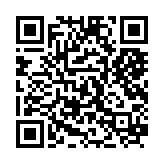
https://local-many-tools.com/ko/guides/photos-pdf-zip/- Paste the URL, choose correction M and 4 pixels per module, then generate. The 54-byte payload produces 33 × 33 data modules. A four-module white border on every side gives (33 + 8) × 4 = 164 pixels per side.
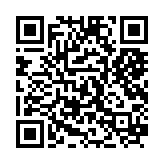
- Keep the URL and 4-pixel scale, choose H and generate again. This sample needs 41 × 41 modules and 196 × 196 pixels. Higher correction adds recovery data; it does not guarantee scanning after shrinking or damaging the image.
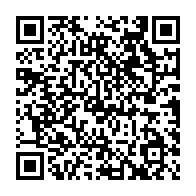
- Return to M and choose 8 pixels per module. The content still uses 33 × 33 modules, but the image becomes 328 × 328 pixels with a 32-pixel white border on each side. Preserve that border when placing the PNG or SVG.
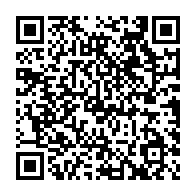
- Append ?label=자료실 to the original URL and use M / 4 pixels. The three Korean characters use nine UTF-8 bytes; the full input is 70 bytes and produces 37 × 37 modules / 180 × 180 pixels. Compare all four downloadable variants at their native pixel sizes.
What to check in the result
On 2026-10-22, the independent jsQR decoder recovered the exact input text and UTF-8 bytes from each generated PNG and each rasterized SVG. Files were generated with this tool’s QR matrix/SVG core; the PNG fixtures were rasterized with sharp. This is a digital-image check, not a browser Canvas byte comparison, a physical print test or a phone-camera test. No minimum print size or scan success is established. Check the destination and test the final layout with the actual scanner.
M / 4 px / 54 UTF-8 B / 33 × 33 / 164 × 164 px
H / 4 px / 54 UTF-8 B / 41 × 41 / 196 × 196 px
M / 8 px / 54 UTF-8 B / 33 × 33 / 328 × 328 px
M / 4 px / 70 UTF-8 B / 37 × 37 / 180 × 180 px
Troubleshooting
- Why did H make the image larger?
- At a fixed pixel scale, more modules make a larger image. In these samples H uses 41 data modules per side and M uses 33. Forcing both images into the same displayed width makes the H modules smaller; check the final layout rather than choosing H automatically.
- The Korean query uses more bytes than characters.
- 자료실 contains three characters and nine UTF-8 bytes. The query adds 16 bytes including ?label=. The code preserves the exact input bytes; percent-encoding the URL produces a different input. ECI is not included, so confirm non-ASCII text with your intended scanner.
- Do the downloadable examples prove the QR will scan on paper?
- No physical print or phone-camera test was performed. The decoder read digital files at their native dimensions. Printing, rescaling, contrast, camera focus and available light introduce additional conditions; retain the quiet zone and test a final-size proof.